
Guide one
Status Editing
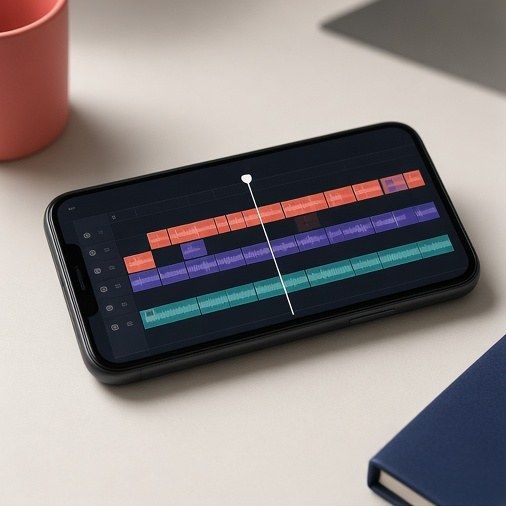
A good status video is short, steady, well lit and cut with intention. You can do all of it on a phone with the editor you already have.
Before you press record
- Clean the lens. A fingerprint smudge makes everything look hazy and lights look smeared.
- Decide the shape. For a full-screen status, hold the phone upright and shoot 9:16. See Sizes & Formats.
- Lock focus and exposure. On most phones, press and hold on the subject until a lock appears, then slide the brightness down a little so bright areas do not burn out.
- Pick one frame rate and stay with it: 30 frames per second for most things, 60 if you plan to slow parts down.
Shooting clips you can actually edit
Record more short clips rather than one long one. Five to ten clips of three to six seconds each give you choices later. Start recording a second before the action and stop a second after it, so you have room to trim.
- Keep it steady. Use a tripod, rest the phone on something, or hold it with both hands and your elbows tucked in.
- Move slowly. If you pan or walk, do it at half the speed that feels natural.
- Change the distance. Mix a wide shot (the whole room), a medium shot (a person from the waist up) and close-ups (hands, a lamp, a cake). Cutting between sizes keeps a short video lively.
- Light from the front. Face your subject towards a window. Avoid a bright window behind them, which turns faces into silhouettes.
The edit, step by step
- Import and trim. Cut the shaky start and end off every clip.
- Order the story. Hook, setting, build, ending. Put the most striking shot first.
- Add the music before fine-tuning cuts, so you can cut on the beat.
- Cut on the beat. Place cuts on strong beats or at the start of a musical phrase. Viewers feel it even if they do not notice it.
- Add text last, once the timing is fixed. See Captions & Music.
- Watch it three times: once for story, once with the sound off, once on the smallest screen you have.
Transitions and effects
A plain cut is the most useful transition there is. Use a fade at the very end, and save flashy wipes and spins for one moment at most. The same goes for filters: one gentle look across the whole video looks better than a different filter on every clip.
| Problem | Likely cause | Fix |
|---|---|---|
| Video looks shaky | Hand-held while walking | Prop the phone, or use the editor’s stabilise option and crop slightly |
| Faces are dark | Light behind the subject | Turn the subject to face the light, or lock exposure on the face |
| Grainy at night | Too little light | Add a lamp or ring light; avoid digital zoom |
| Cuts feel random | Cut without the music | Lay the track first and cut on beats |
| Blurry after posting | Wrong size, heavy compression | Export at the size the app expects; see Sizes & Formats |
Try this. Film a ten-second “good morning” status with exactly four clips: a window, a cup, a hand, a smile. Cut each on a beat and end on a still frame.